


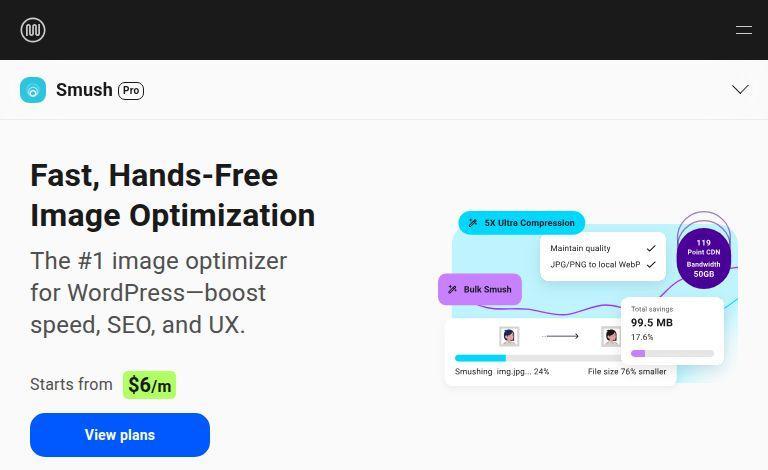
Porn websites use pictures. Except for stories, all porn is about seeing and showing bodies. And, only nerds read, so who cares about words? Most of your work as a porn website owner will include pictures. Even porn tubes use images, especially with small images that show on the homepage. Pictures are everywhere. If you have any content on your site, you will handle lots of pictures. This means storage and bandwidth. For every page your users open, pictures are sent through wires, and you pay for every bit.
That’s why you need to resize your pictures. You have to shrink your photos and send only what people need. The point is, you don’t want to waste your bandwidth. The first step is to upload and show pictures where needed. If you don’t want to lose money, the second step is to shrink the images well. You don’t need to send big pictures all over your site. Unless someone asks for the whole image, show them a small one. This rule is even more critical for phones, as they have small screens. The third step is to get a tool that does it all for you, and that’s where Smush Pro helps.
How Smush Pro Shrinks Pictures
Before we talk about multi-size photo shrinking, let’s look at Smush Pro’s basic photo shrinking method. They have a cool demo on their site where you can move a slider across a salad photo to show the before and after. I dare you to say you can tell which one is which. They look the same. But the smaller image is just a third of the size of the big one. That’s a great shrinkage.
It’s not like Smush Pro has its own magic shrinking method. They do, but the real power is in shrinking images at all, without making them look worse. Regular pictures, like photos of bodies, are often large because they are stored in large files. Whether the pictures are from a camera or produced for the web, they are huge. They don’t remove extra space in the image, which is why they are big.
Smush Pro knows how to shrink photos while keeping the original intact in case someone needs the full version. But for any preview, use the smaller image. A person can’t tell the difference between the smaller and the bigger photo. It’s amazing how much smaller it is with no apparent loss in quality.
Tools to Make It Easy
This kind of shrinking is common on WordPress, but Smush Pro works better. It shrinks your photos across your whole site. It also has tools to help you see how much space you save, with menus that check your site’s photos. You get a dashboard that shows how much Smush Pro is assisting.
These tools seem unneeded when your site is small, but once you add lots of pictures, it will be hard to track file sizes. Smush Pro scans your site and shrinks your images with one click.
Multi-Version Shrinking
Another great thing Smush Pro does is multi-version shrinking. This means it provides different sizes of the same picture for various screen sizes. If you have large video thumbnails that appear in small boxes, Smush Pro can create smaller, compressed versions for faster page load times.
Smush Pro does all this for you. It’s a whole Content Delivery Network (CDN) inside a simple WordPress plugin. Their system checks your site’s photos quickly and gives you a simple one-click option to shrink them. It’s like apps that clean your phone’s storage in one tap, without you having to think. This simple way of handling many images is excellent because you don’t have time to shrink each photo individually. You need a plugin you can trust.
Smush Pro Pricing Plans
Smush Pro has a few pricing options. The cheapest plan is $5 per month (billed yearly). This plan gives you unlimited photo shrinking on one website. This is an affordable solution for anyone who wants to optimize their site’s images.
The next plan is $7.50 per month and adds extra features, such as Hummingbird Pro, which provides reports on your site’s speed, caching, and CDN. This plan is for those who want to improve their entire website’s performance, not just images.
The biggest plan is $15.83 per month, which gives you 11 Pro plugins for a wide range of WordPress tools. This package includes tools for SEO, security, backups, and more. It’s a great deal if you need all the extras, but you should check if you need everything before you buy the complete package.
Support and Help
Smush Pro’s support is available at all levels. The $5 plan includes ticket support, while the $7.50 plan offers 24/7 live chat support. The big WPMU DEV plan also includes round-the-clock WordPress support so you can ask about any site problems or improvements.
Conclusion
Smush Pro is an excellent tool for WordPress users who want to reduce their site’s image sizes without sacrificing quality. It’s affordable, simple, and helps with site speed. Whether you run a porn site or any other type of website, Smush Pro is a must-have for managing images and speeding up your site.
